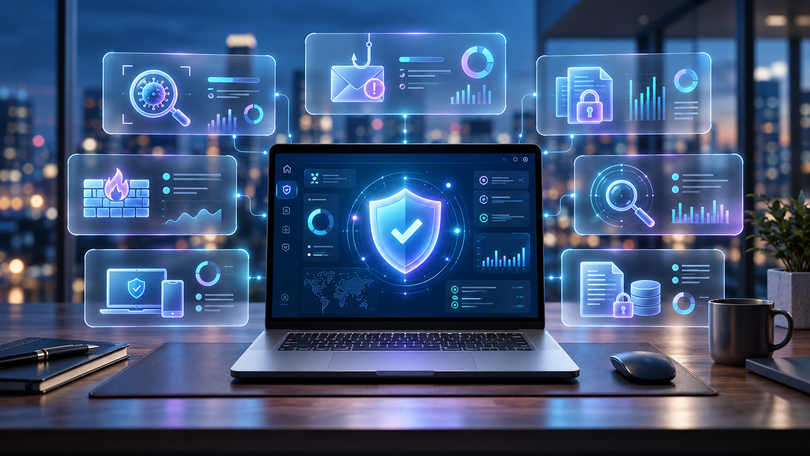

Setting up a new computer usually begins with the visible things: installing applications, moving files, signing into accounts and adjusting preferences.
Security often comes later.
That order should probably be reversed.
Modern computers contain passwords, personal documents, payment information, browser sessions and access to cloud services. A compromised device can therefore expose far more than the files stored on its drive.
Choosing security software is one part of protecting that environment, but the best choice depends on more than simply recognizing a well-known antivirus name.
Start With the Operating System
Before comparing features, confirm compatibility.
Security software may support Windows, macOS, Android, iOS or Linux.
Support can also vary between versions of the same operating system.
A product designed for Windows users may offer a different set of features on macOS.
Check the publisher’s current system requirements before purchasing and make sure the computer meets them.
This sounds obvious, but it prevents one of the most common software-buying mistakes.
Determine How Many Devices Need Protection
Security packages are frequently sold according to the number of devices covered.
A single-device license may be enough for one desktop computer.
A household could require protection for several laptops, phones and tablets.
Businesses may need a completely different endpoint-security product.
Before buying, count the devices that genuinely need coverage.
Also consider whether the license allows devices to be replaced during the subscription period.
A cheaper one-device product is not cheaper if another license must immediately be purchased for a second computer.
Antivirus Is Only One Layer
Traditional antivirus scanning remains useful, but current security products often include additional protections.
Depending on the package, those can include anti-phishing protection, ransomware monitoring, malicious website blocking, firewall tools, browser protection, device control, password-management features, identity monitoring and network protection.
Not everyone needs every feature.
A user who already has a dedicated password manager, VPN and firewall may not benefit from paying again for those capabilities inside a security suite.
Compare the package with the tools already installed.
Consider Performance
Security software operates continuously.
That means performance matters.
Heavy security applications can affect startup time, file operations or older hardware.
Modern products generally work to minimize this impact, but buyers using low-powered devices should still check independent performance testing and system requirements.
The ideal security product is one that can remain active without constantly reminding the user that it is running.
Understand the License Before Purchasing
Security software is sold under many licensing models.
You may encounter short subscriptions, annual subscriptions, multi-year plans, single-device licenses, multi-device licenses, activation keys and account-based subscriptions.
Before purchasing antivirus and security software, check the duration, number of devices, supported operating systems and activation instructions on the specific listing.
Do not assume that two products with similar names use identical licensing conditions.
The exact edition matters.
Updates Are Essential
Threats evolve constantly.
A security product that does not receive current detection information quickly becomes less useful.
Check how the software handles malware-definition updates, program updates, browser extensions, cloud-based detection and subscription expiration.
Automatic updating is generally preferable because users do not need to remember to download every security update manually.
Operating-system updates are equally important.
Antivirus software should complement regular system updates, not replace them.
Protect the Browser Too
A large proportion of everyday security risk arrives through the browser.
Phishing pages may imitate banks, social networks, ecommerce sites or cloud services.
Malicious downloads may be disguised as legitimate applications.
Users should therefore combine endpoint security with sensible browser habits.
Before entering credentials, check the domain carefully. Use unique passwords and multi-factor authentication whenever available. Download applications from publishers or sources identified by the publisher. Avoid opening unexpected attachments.
These habits remain useful regardless of which security package is installed.
Backups Are Part of Security
Security software reduces risk, but no tool provides absolute protection.
Backups provide another layer.
Important documents should exist in more than one place.
A practical approach may combine a local copy, an external backup and trusted cloud storage.
For especially important files, backups should not remain permanently connected to the same computer.
This limits the damage that malware, hardware failure or accidental deletion can cause.
Be Careful With Administrator Access
Many users operate their computers with administrator privileges all the time.
That makes software installation convenient but can also give malicious applications more control if something goes wrong.
Use administrator permissions carefully.
Do not approve installation prompts simply because they appear.
If an application unexpectedly requests elevated access, stop and verify what initiated the request.
Security software works best when the user also makes cautious decisions.
Look for Clear Support
Even reputable security software can produce confusing messages.
A firewall rule may block an application. A product key may correspond to another edition. A subscription may need to be associated with an account.
Before buying, check what support is available from both the software publisher and the seller.
Keep the purchase confirmation and activation information.
If support is required, provide the exact error message and software version without publicly exposing the complete license key.
Security Works Best as a System
There is no single application that can make a computer completely secure.
Good protection combines several habits: keep the operating system updated, use reputable security software, use strong unique passwords, enable multi-factor authentication, maintain backups, download carefully and review unexpected prompts.
The security application is therefore one component of a broader system.
Choosing it carefully matters, but using it alongside good digital habits matters even more.